
Video editing has traditionally required creators to handle every step manually, from reviewing footage and selecting clips to arranging timelines, improving audio, and creating different versions of the same project.
As video production becomes more demanding, creators and businesses are looking for faster ways to manage these repetitive tasks without losing creative control. AI-powered video editors are changing this process by helping with time-consuming editing work while allowing creators to focus on storytelling and final decisions.
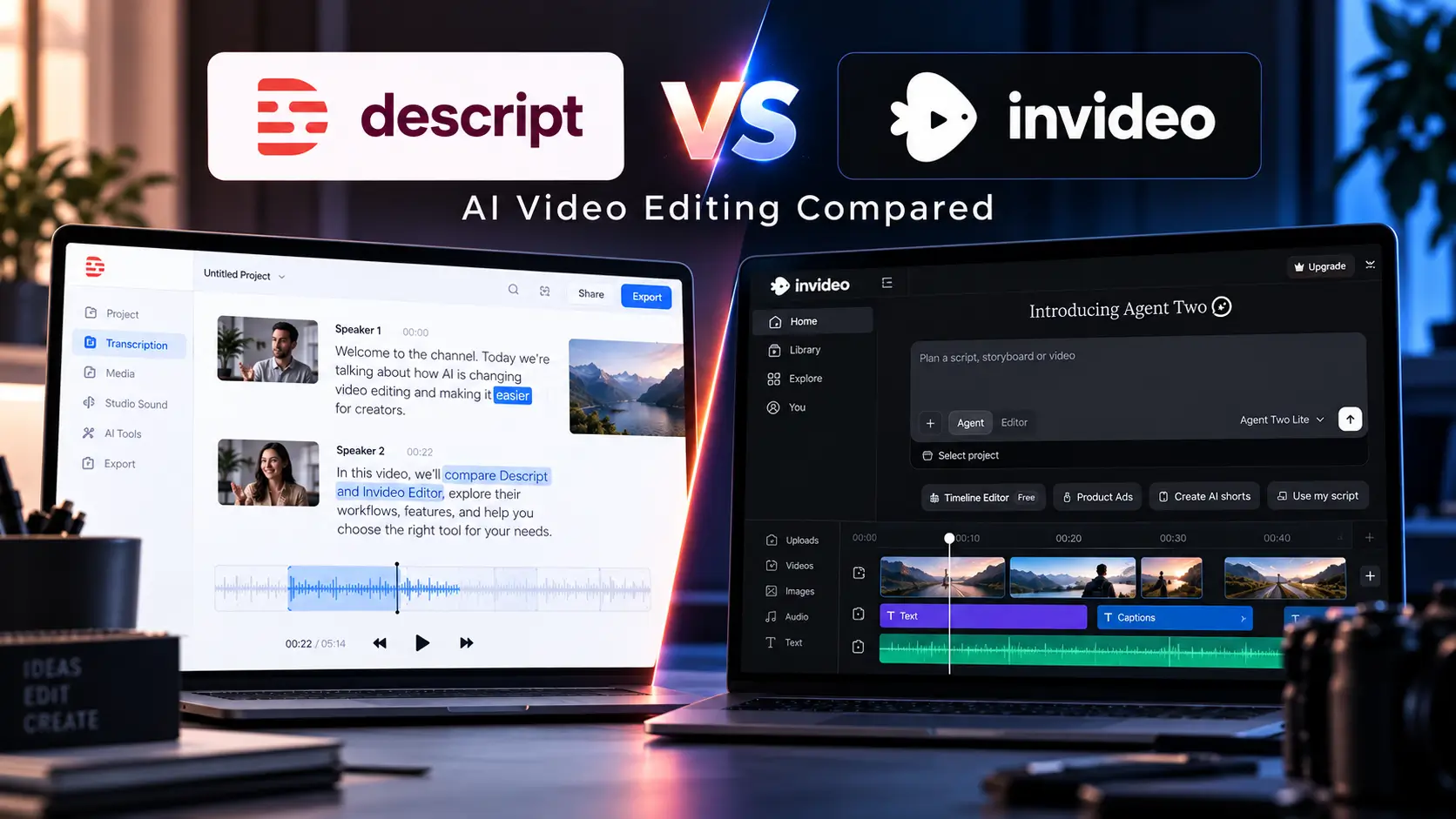
Two tools that represent different approaches to AI-assisted editing are Descript and Invideo Editor. While both use AI to simplify video creation, their workflows are built around different editing needs.
Descript focuses on a text-based editing approach, where creators can edit video by working with transcripts. Invideo Editor focuses on an AI-assisted timeline workflow where creators can give direction, work with raw footage, and refine edits inside a professional editing environment.
Understanding these different approaches helps creators choose a workflow that matches the type of content they produce.
Two Different Approaches to AI Video Editing
Descript: Editing Through Words
Descript introduced a different approach to video editing by making transcripts a central part of the editing process.
Instead of working only with a traditional timeline, creators can edit spoken content by modifying the text transcript. This approach is especially useful for content where dialogue is the main focus.
Descript is commonly suited for:
- Podcasts
- Interviews
- Talking-head videos
- Educational discussions
- Recorded conversations
For creators who mainly work with spoken content, editing through text can make tasks like removing sections, adjusting conversations, and cleaning up recordings easier.
The main idea is simple: change the words, and the video changes with them.
Invideo Editor: Editing Through Direction
Invideo Editor takes a different approach by combining AI editing agents with a professional editing timeline.
Instead of only editing through text, creators can provide direction to AI agents and allow them to handle repetitive editing tasks while keeping the project editable.
The workflow focuses on:
- Reviewing footage
- Selecting useful clips
- Removing unnecessary material
- Creating a base cut
- Refining the timeline manually
Invideo Editor is designed around the idea that AI can handle repetitive execution while creators continue making creative decisions about the final video.
This approach is useful for creators working with larger amounts of footage where organizing and structuring content takes significant time.
Where Their Workflows Differ
AI video editors are designed around different editing approaches. While Descript focuses on transcript-based editing, Invideo Editor focuses on AI-assisted visual editing workflows with timeline control.
| Workflow Area | Descript | Invideo Editor |
| Editing Approach | Uses transcript-based editing, making it easier to edit spoken content by changing text | Uses AI editing agents that assist with footage-based editing while keeping the project editable |
| Starting With Footage | Best suited for content where dialogue and transcripts are the main focus | Helps creators work with raw footage by reviewing clips, selecting useful sections, and creating a base cut |
| Best For | Podcasts, interviews, talking-head videos, and discussion-based content | YouTube videos, multi-camera projects, marketing videos, and long-form footage |
| AI Assistance | Helps simplify text-based editing tasks and content adjustments | Assists with repetitive editing work such as footage review, selection, cleanup, and assembly |
| Creative Control | Allows creators to edit content through transcript changes | Keeps an editable timeline where creators can review changes and refine the final edit |
| Content Versions | Useful for editing and adapting dialogue-focused content | Supports creating different versions and cuts from the same project workflow |
The difference between these workflows comes down to the type of content being edited. Creators working mainly with spoken content may prefer a transcript-based approach, while those handling larger amounts of visual footage may benefit from an AI-assisted editing workflow that combines automation with timeline control.
Working With Different Types of Content
Different video projects require different editing approaches.
Descript Works Well For:
- Podcast episodes
- Interview recordings
- Educational conversations
- Content where spoken words drive the story
The transcript-based workflow makes it easier to edit dialogue-heavy content.
Invideo Editor Works Well For:
- Long recordings
- Multi-camera projects
- Creator content
- Commercial videos
- Projects requiring multiple versions
The platform supports the full editing journey, including footage organization, editing, finishing, and creating different cuts from the same project.
Choosing Between Descript and Invideo Editor Based on Workflow
The right choice depends on the type of content being produced.
Choose Descript When You Mainly Create:
- Podcasts
- Interviews
- Voice-focused content
- Talking-head videos
A transcript-based workflow can make editing spoken content faster.
Choose Invideo Editor When You Need:
- Raw footage organization
- AI-assisted assembly
- Timeline-based editing
- Multiple content versions
- More control over visual storytelling
Creators working with larger projects may benefit from a workflow where AI helps organize footage while the creator continues shaping the final edit.
The Future of AI Video Editing
AI video editing is moving beyond simple automation. The next stage is about creating smarter workflows where creators can delegate repetitive tasks while focusing on creative direction.
Instead of replacing editors, AI tools are becoming part of the editing process.
Future workflows may involve:
- AI reviewing footage
- Automated first drafts
- Faster content repurposing
- Smarter editing assistance
- More personalized creative workflows
The difference between AI editing tools will depend on how they help creators work, not only the features they offer.
Frequently Asked Questions
Is Descript an AI video editor?
Yes. Descript uses AI-powered features and a transcript-based editing workflow that allows creators to edit video content through text.
How is Invideo Editor different from Descript?
Descript focuses on transcript-based editing, while Invideo Editor focuses on AI-assisted timeline editing, raw footage workflows, and AI-supported project assembly.
Can AI editors work with raw footage?
Yes. Invideo Editor is designed to help creators work with raw footage by assisting with footage review, selection, cleanup, and timeline assembly.
Do AI video editors replace human creativity?
No. AI tools mainly assist with repetitive editing work while creators continue making decisions about storytelling, style, and the final result.
Conclusion
Descript and Invideo Editor represent two different approaches to AI-powered video editing.
Descript focuses on simplifying dialogue-based editing through transcripts, making it useful for podcasts, interviews, and spoken content.
Invideo Editor focuses on helping creators manage the complete editing workflow, from raw footage organization to timeline refinement, while keeping creative control in the hands of the editor.
As AI continues to transform video production, the most useful tools will be those that help creators spend less time on repetitive tasks and more time creating meaningful content.