
Companies are constantly looking for better ways to train employees, share knowledge, and maintain consistent communication across teams. While documents and presentations are still useful, video-based learning has become an important part of modern workplace training.
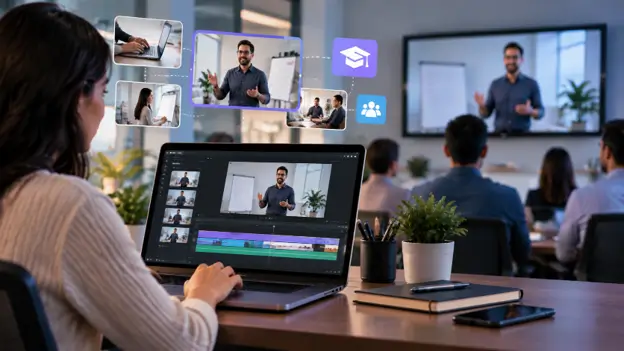
Training videos allow employees to learn at their own pace, revisit important information, and understand complex processes through visual demonstrations. From onboarding new employees to explaining software workflows, companies are using video to make internal learning more accessible and engaging.
However, creating effective training videos requires more than simply recording a presentation. Companies need to organize footage, improve clarity, edit unnecessary sections, and create content that employees can easily understand.
As video production becomes a regular part of business communication, many organizations are adopting more efficient editing workflows. Tools like invideo editor are becoming part of these workflows by helping teams manage video projects, refine content, and create professional training materials without relying on complicated production processes.
Why Companies Are Moving From Documents to Training Videos
Traditional training materials often rely on written guides, manuals, and presentations. While these formats can provide detailed information, they may not always create an engaging learning experience.
Video-based training offers several advantages:
Easier Understanding
Visual explanations can make complicated topics easier to understand. Employees can see processes in action instead of only reading instructions.
For example:
- Software tutorials can show step-by-step actions
- Safety training can demonstrate correct procedures
- Product training can explain features visually
Consistent Training Experience
Companies often need to train multiple employees across different locations. A recorded training video ensures every employee receives the same information.
Flexible Learning
Employees can watch training materials when needed and revisit important sections whenever required.
Better Knowledge Sharing
Teams can preserve expert knowledge by recording experienced employees, managers, or trainers and turning their insights into reusable learning resources.
The Biggest Challenge Isn’t Recording — It’s the Editing Workflow
Although training videos are valuable, producing them regularly can create challenges.
Managing Long Recordings
Corporate training sessions can often include long presentations, meetings, or demonstrations. Finding the most useful sections from hours of footage can take significant time.
Editors may need to:
- Remove pauses
- Cut repeated information
- Organize important sections
- Improve the flow of the video
When teams create multiple training resources, managing these repetitive editing tasks can become difficult.
Maintaining Professional Quality
Internal videos still represent the company and its communication standards.
Poor audio, inconsistent visuals, or unclear explanations can reduce the effectiveness of training content.
Companies often need to improve:
- Video clarity
- Audio quality
- Visual consistency
- Overall presentation
Updating Training Content
Business processes change regularly. New software updates, policies, and procedures often require companies to update existing training videos.
Instead of creating every video from scratch, teams need flexible editing workflows that allow them to modify and reuse existing content.
How Online Video Editors Simplify Internal Training Content
Creating professional training videos does not always require complex editing software or large production teams.
A free online video editor allows companies to create and update video content through browser-based workflows without depending on advanced technical setups.
Online editing platforms can help teams:
- Edit videos from different locations
- Make quick updates
- Create multiple versions of content
- Maintain consistent branding
For companies producing regular training materials, having an accessible editing workflow makes it easier to turn recorded sessions into useful learning resources.
A workflow where teams can upload footage, organize clips, and refine content helps reduce the time spent on repetitive editing tasks. Invideo Editor fits into this process by combining AI-assisted editing features with an editable timeline, allowing teams to continue reviewing and improving their projects.
Internal Training Video Use Cases for Companies
Different departments can use video training in several ways.
Employee Onboarding Videos
New employees often need to understand company culture, processes, and tools quickly.
Companies can create onboarding videos covering:
- Company introductions
- Workplace guidelines
- Team structures
- Internal processes
These videos help new employees access important information whenever they need it.
Product Training Videos
Sales and customer support teams often require detailed product knowledge.
Training videos can explain:
- Product features
- Customer use cases
- Common questions
- Demonstration workflows
These resources help teams stay updated as products evolve.
Software and Process Tutorials
Many companies use different tools and internal systems. Video tutorials can make software training easier by showing employees exactly how to complete tasks.
Examples include:
- Internal platform tutorials
- Workflow demonstrations
- Process explanations
Compliance and Safety Training
Industries with strict procedures often need employees to understand important guidelines.
Video training can explain:
- Safety practices
- Security policies
- Workplace requirements
Visual demonstrations can make these topics easier to follow.
How AI-Assisted Editing Improves Corporate Video Workflows
AI is changing how companies approach video production by reducing repetitive editing tasks.
Instead of manually handling every step, teams can use AI assistance for parts of the editing process while keeping creative control.
Modern AI editing workflows can support tasks such as:
- Reviewing footage
- Finding useful sections
- Removing unnecessary content
- Creating different versions
For example, invideo editor uses AI editing agents that can assist with footage review, selection, assembly, and other editing tasks while keeping the project editable for further refinement. This approach allows companies to spend less time on operational editing work and more time improving the learning experience.
Creating Multiple Training Resources From One Video
One recorded session can often become several useful resources.
A single training video can be transformed into:
- Short employee tutorials
- Quick reference clips
- Department-specific training videos
- Updated learning materials
When companies create different versions from existing footage, they can make training content more relevant for different teams.
Invideo Editor supports workflows where creators can continue working on projects, create different versions, and refine content based on specific requirements.
This makes it easier for companies to build a reusable library of training resources.
Best Practices for Creating Effective Employee Training Videos
Keep Videos Focused
Employees are more likely to complete training when videos are clear and focused on one specific topic.
Use Visual Examples
Demonstrations and examples often make instructions easier to understand.
Add Captions
Captions improve accessibility and help employees follow important information.
Maintain Consistent Branding
Using consistent visuals, colors, and presentation styles creates a more professional learning experience.
Review Content Regularly
Training materials should be updated when company processes or information changes.
Frequently Asked Questions
Why should companies create internal training videos?
Training videos help companies provide consistent learning experiences, explain processes clearly, and allow employees to access information whenever needed.
Can small companies create professional training videos?
Yes. With modern online editing workflows, smaller teams can create useful training content without requiring large production resources.
What types of internal training videos can companies create?
Companies can create onboarding videos, product tutorials, software guides, compliance training, and employee education content.
How do online video editors help businesses?
Online video editors simplify the creation and updating of video content by providing accessible editing workflows that teams can use from different locations.
Conclusion
Video-based training is becoming an important part of modern workplace communication. Companies are using videos to improve onboarding, explain processes, share knowledge, and create more flexible learning experiences.
The challenge is creating these resources efficiently while maintaining quality and consistency. Better editing workflows allow companies to transform recordings into useful training materials without spending excessive time on repetitive tasks.
With tools like invideo editor, teams can organize footage, refine projects, and create professional training videos while keeping control over the final content.
As businesses continue adopting digital learning methods, efficient video creation will become an increasingly important part of internal communication strategies.

