
Video has become an important part of how companies communicate with customers, employees, and online audiences. Businesses now create product videos, social media content, tutorials, advertisements, and long-form content regularly.
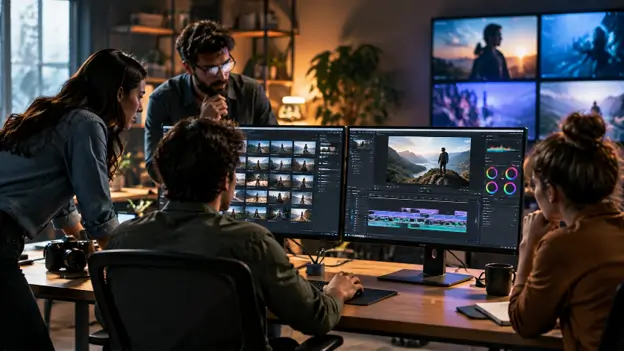
However, producing more videos also creates new challenges for editing teams. A single project may include hours of raw footage, multiple versions, feedback from different people, and tight deadlines.
The difficult part is often not recording the video. The real challenge is managing everything that happens after recording.
Editors need to review footage, find the right moments, organize clips, build timelines, and prepare different versions for different platforms. As content demands increase, teams need workflows that make editing faster without reducing creative quality.
The Real Challenges Behind Complex Video Projects
Managing Large Amounts of Footage
Many professional video projects start with unorganized footage.
A single recording session can include:
- Multiple camera angles
- Different takes
- Long interviews
- Extra footage
- Unused clips
Finding the most useful parts can take hours. Editors often spend a large amount of time reviewing footage before they can even begin the creative editing process.
For teams producing videos regularly, this early stage can slow down the entire production cycle.
Creating the First Version Takes Time
The first complete edit is usually one of the most important stages of a project.
Editors need to:
- Select usable clips
- Remove unnecessary sections
- Arrange scenes
- Create a clear flow
This first version becomes the foundation for future improvements.
A faster way to create a strong starting point allows editors to spend more time improving storytelling, visuals, and audience experience.
Producing Multiple Versions From One Project
Modern video teams rarely create only one final video.
A single project may need different versions for:
- Social media platforms
- Websites
- Advertisements
- Presentations
- Internal communication
Creating these versions manually can increase workload, especially when teams are working on multiple projects at the same time.
How AI Is Changing the Video Editing Workflow
Traditional editing requires professionals to complete every step manually. While editors bring creativity and decision-making to a project, many editing tasks involve repetitive work.
AI-assisted workflows are changing this process by supporting tasks that take significant time.
Instead of spending hours searching through footage or preparing basic edits, teams can use AI assistance to speed up parts of the workflow while keeping control over the final result.
The goal is not to remove the creative role of editors. It is to give them more time to focus on decisions that require human judgment.
Moving From Manual Tasks to AI-Assisted Editing
One of the biggest changes in modern video production is the shift from operating editing software to directing editing workflows.
Editors can provide guidance about what they need, while AI systems assist with parts of the execution process.
This approach is becoming more common as tools like invideo’s agentic video editor allow AI agents to work on editing tasks based on direction, understand footage, work with timelines, and return an editable cut that creators can continue refining.
For video teams, this can make the early stages of editing more efficient while keeping creative decisions in the hands of professionals.
Building a Better Workflow for Video Teams
A more efficient editing process usually follows a few important steps.
Start With Better Footage Organization
Before editing begins, teams need a clear understanding of their available material.
Organized footage makes it easier to:
- Find important clips
- Compare different takes
- Reduce editing delays
AI-assisted tools are helping teams manage this stage by making footage review and selection faster.
Create a Strong First Cut
A first cut gives the team a structure to improve.
Instead of spending most of the time preparing footage, editors can focus on:
- Story flow
- Timing
- Visual choices
- Audience engagement
Invideo Editor is designed around workflows where AI assistance can support footage review, selection, and assembly while keeping the editing timeline available for further changes.
Improve and Refine the Final Version
Once the foundation is ready, editors can focus on creative improvements.
This includes:
- Adjusting pacing
- Improving visuals
- Adding effects
- Refining audio
- Creating the final style
The human creative process remains important because storytelling decisions cannot always be automated.
How Video Teams Can Scale Content Production
Growing content demands can create pressure on small editing teams.
Companies may need more videos but have limited resources.
A smarter workflow can help teams create more content by:
- Reducing repetitive editing work
- Reusing existing footage
- Creating multiple versions faster
- Improving collaboration
Invideo Editor fits into this changing workflow by combining AI-assisted editing with timeline control, allowing teams to manage projects while continuing to refine creative details.
This approach can be useful for marketing teams, agencies, and creators who regularly produce video content.
Who Can Benefit From More Efficient Video Workflows?
Marketing Teams- Marketing teams often need videos for campaigns, social media, and product communication. A faster editing workflow allows them to create content more consistently.
Creative Agencies– Agencies manage multiple clients and projects at the same time. Better workflows help teams handle deadlines while maintaining quality across different projects.
Content Creators- Creators who publish regularly need efficient ways to manage recordings, edits, and different content formats.
Media Teams– Media organizations often work with large amounts of footage. Faster organization and editing can help them publish content more efficiently.
The Future of Team-Based Video Editing
Video editing is moving toward a workflow where humans and AI work together.
AI can support repetitive production tasks, while editors continue making important creative decisions.
The future of video teams will likely focus on:
- Faster editing cycles
- Smarter footage management
- More content from existing projects
- Better collaboration between creators and technology
As AI editing tools become more advanced, the role of editors will continue shifting from manually completing every task to directing smarter workflows.
Invideo Editor represents this change by bringing AI editing assistance into a timeline-based workflow where teams can review, adjust, and continue developing their projects.
Frequently Asked Questions
Can AI help professional video editors?
Yes. AI can support repetitive tasks such as footage review, organization, and creating initial edits while editors maintain creative control.
What is an agentic video editing workflow?
An agentic video editing workflow uses AI agents that can perform editing tasks based on user direction while keeping the project editable for further refinement.
How can teams create more content without increasing workload?
Teams can improve efficiency by using better workflows, repurposing existing footage, and reducing repetitive editing tasks.
Conclusion
Managing complex video projects requires more than just editing skills. Teams need workflows that help them handle increasing content demands while maintaining quality.
AI-assisted editing is helping video teams reduce repetitive work, organize projects faster, and focus more on creative decisions.
The future of video production is not about replacing editors. It is about giving them smarter tools that allow them to spend more time creating meaningful stories and less time managing repetitive tasks.

